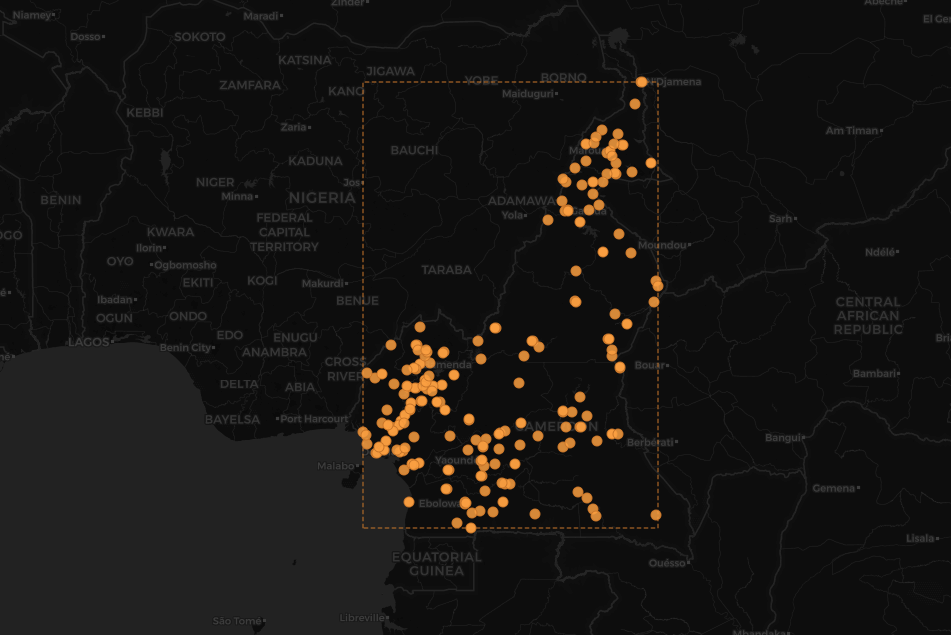
Let’s say you’re building a reference table from source data, e.g. a silver medallion table from a primary source. In this example I am using a file of random locations on the globe extracted from OpenStreetMap (OSM) as my primary source. This data contains user contributions and may include data quality issues. I created this example dataset some years ago with physical extractions from a local OSM installation. You can find the data here .
mysql> SELECT * FROM place LIMIT 1\G
*************************** 1. row ***************************
    place_id: 1
        name: {"lat": "36.730237029134294", "lon": "68.85690874499235", "osm_id": 28468772, "address": {"city": "Kunduz", "state": "Kunduz Province", "county": "Kunduz District", "hamlet": "Chahil Dukhtaran", "country": "Afghanistan", "country_code": "af", "ISO3166-2-lvl4": "AF-KDZ"}, "licence": "Data © OpenStreetMap contributors, ODbL 1.0. https://osm.org/copyright", "osm_type": "way", "place_id": 112226120, "boundingbox": ["36.7259653", "36.7311868", "68.853961", "68.8605004"], "display_name": "Chahil Dukhtaran, Kunduz, Kunduz District, Kunduz Province, Afghanistan"}
country_code: AF
display_name: Chahil Dukhtaran, Kunduz, Kunduz District, Kunduz Province, Afghanistan
1 row in set (0.00 sec)
I wanted to create a reference table of all cities within the dataset. At first pass you might create a table like:
CREATE TABLE city (
  name VARCHAR(70)  NOT NULL PRIMARY KEY,
  country_code CHAR(2) NOT NULL
);
But you will quickly discover that the name of a city is not unique in the world, it’s per country, so the obvious improvement is:
CREATE TABLE city (
  name VARCHAR(70)  NOT NULL,
  country_code CHAR(2) NOT NULL,
  PRIMARY KEY (country_code, name)
);
You then create a data extract SQL statement to populate the table. NOTE: All of the SQL statements listed to date are human generated.
INSERT INTO city (name, country_code)
SELECT DISTINCT  name->>'$.address.city'      AS name,
                 UPPER(name->>'$.address.country_code') AS country_code
FROM place
WHERE name->>'$.address.city' IS NOT NULL;

ERROR 1062 (23000): Duplicate entry 'Kaélé-CM' for key 'city.PRIMARY'
Identifying Bad Data
OK, well this is weird, I’m using DISTINCT, which gives me distinct rows, or well does it? We turn to Claude Code to help in the debugging, and it correctly performs a more in-depth analysis of the data based on the error. A data engineer would know how to do this without the aid of AI, and it correctly identifies the actual issue.
SELECT DISTINCT
         name->>'$.address.city'                     AS city_name,
         UPPER(name->>'$.address.country_code')      AS cc,
         HEX(name->>'$.address.city')                AS hex_val
FROM  place
WHERE UPPER(name->>'$.address.country_code') = 'CM'
AND   name->>'$.address.city' LIKE '%Ka%l%';

  Result:

  ┌───────────┬─────┬────────────────┐
  │ city_name │ cc  │    hex_val     │
  ├───────────┼─────┼────────────────┤
  │ Kaele     │ CM  │ 4B61656C65     │
  ├───────────┼─────┼────────────────┤
  │ Kaélé     │ CM  │ 4B61C3A96CC3A9 │
  └───────────┴─────┴────────────────┘
The source data contains different character set information for the city name, as seen in the hexadecimal representation of the string. Now our MySQL table supports UTF-8 by default, we are using MySQL 8.4 (of course, as 8.0 is EOL).
mysql> SELECT VERSION();
+-----------+
| version() |
+-----------+
| 8.4.8     |
+-----------+
1 row in set (0.00 sec)

mysql> SHOW CREATE TABLE city\G
*************************** 1. row ***************************
       Table: city
Create Table: CREATE TABLE `city` (
  `name` varchar(100) NOT NULL,
  `country_code` char(2) NOT NULL,
  PRIMARY KEY (`country_code`,`name`)
) ENGINE=InnoDB DEFAULT CHARSET=utf8mb4 COLLATE=utf8mb4_0900_ai_ci;
Understanding the underlying problem
So what is the problem here? In a later post I am actually going to talk about MySQL collations and the extremely interesting information presented by Ryusuke Kajiyama at COSCUP How MySQL Is Evolving: Open Roadmaps, Community Collaboration, and New Ways to Contribute , and how we English-first speakers need to consider the importance of collations for foreign languages. More on Taiwan collations in a later post.
What GenAI failed to do correctly
Before I get to the correct answer, let me point out what Gen AI said, and why it’s the wrong answer.
Duplicate entry ‘CM-Kaélé’ for key ‘city.PRIMARY’. Root cause is a collation mismatch:
- city.name uses utf8mb4_0900_ai_ci — accent-insensitive, case-insensitive — so Kaele and Kaélé compare equal for the PRIMARY KEY.
- SELECT DISTINCT on the JSON-extracted expression doesn’t use that column’s collation, so it sees Kaele and Kaélé as two distinct strings and lets both through.
- Result: two rows that DISTINCT treats as different collide on INSERT because the table’s PK collation treats them as the same.
The place really does contain both spellings for Kaélé, Cameroon — likely raw OSM data inconsistency (accented vs. unaccented city names for the same place).
- INSERT IGNORE handles the remaining accent/case collisions at insert time (keeps the first-seen spelling per group, drops the rest) rather than aborting the whole statement. If you’d rather dedupe deliberately (e.g. always prefer the accented form), that needs an explicit GROUP BY with MAX()/MIN() picking a winner instead of relying on INSERT IGNORE’s arbitrary pick — let me know if you want that version instead.
Want me to run the fixed version now?
As an experienced MySQL SME I know this is the incorrect approach, but let’s play it out to show you why. For a new professional relying on GenAI as the primary source of knowledge, and with no real-world experience, they would just go with what GenAI told them, see rows inserted and move on.
INSERT INTO city (name, country_code)
SELECT DISTINCT  name->>'$.address.city'      AS name,
                 UPPER(name->>'$.address.country_code') AS country_code
FROM place
WHERE name->>'$.address.city' IS NOT NULL;

SELECT COUNT(*) FROM city;
+----------+
| COUNT(*) |
+----------+
|     9176 |
+----------+
The problem with the AI answer
There are two things GenAI fails to teach you here about MySQL specific functionality.
IGNOREis a MySQL-ism, a skew of the ANSI SQL standard. Something you need to be aware of — not all RDBMS products, or RDBMS open-source products, use the same SQL syntax.- The second is the MySQL-ism of warnings. An anti-pattern I wish several generations of software developers were not exposed to, because most — including the frameworks used to write SQL — do not understand this and handle it correctly. Sidebar: MySQL 8.4 with an appropriate
@@sql_modeis a different discussion.
IGNORE ignores ALL errors
The IGNORE keyword throws warnings and unless you do a SHOW WARNINGS as a second round-trip to the database you lose valuable data integrity issues that may in future haunt you.
mysql> SELECT DISTINCT  name->>'$.address.city'      AS name,
                 UPPER(name->>'$.address.country_code') AS country_code
     > FROM place
     > WHERE name->>'$.address.city' IS NOT NULL;

Query OK, 9176 rows affected, 7 warnings (0.07 sec)
Records: 9177  Duplicates: 1  Warnings: 7

mysql> SHOW WARNINGS;
+---------+------+-----------------------------------------------------+
| Level   | Code | Message                                             |
+---------+------+-----------------------------------------------------+
| Warning | 1062 | Duplicate entry 'CM-Kaélé' for key 'city.PRIMARY'   |
| Warning | 1265 | Data truncated for column 'name' at row 3857        |
| Warning | 1265 | Data truncated for column 'name' at row 7518        |
| Warning | 1265 | Data truncated for column 'name' at row 7526        |
| Warning | 1265 | Data truncated for column 'name' at row 7614        |
| Warning | 1265 | Data truncated for column 'name' at row 7664        |
| Warning | 1265 | Data truncated for column 'name' at row 7705        |
+---------+------+-----------------------------------------------------+
7 rows in set (0.00 sec)
Using the mysql client, you actually get a informational message 7 warnings (0.07 sec). This is something most other tools or programming frameworks ignore.
mysql client with warnings always on — use --show-warnings, -W, or add show-warnings under a [mysql] section in your local config file (e.g. ~/.my.cnf).
sql_mode, many different types of operations could create truncated data or even invalid data (bad dates), and it's possible applications would never know until it's too late and impossible to recollect the data.
Prompting AI to do the right thing
With the human knowledge that AI failed to leverage, you can get genAI to correct the issue by using a different collation, one that is accent-sensitive, you may miss the specifics, but ai and as in the COLLATE is subtle but signficant.
Changes from the original:
- COLLATE utf8mb4_0900_as_cs on name — accent-sensitive, case-sensitive, so Kaele and Kaélé are distinct PK values instead of colliding. (Only name needs it; country_code stays on the schema default since it’s already uppercased and 2-letter.)
- VARCHAR(100) instead of VARCHAR(70) — real data has a 73-character city name (Sintra (Santa Maria e São Miguel, São Martinho e São Pedro de Penaferrim), PT), so 70 was too tight. 100 gives headroom without going unbounded.
- DROP TABLE IF EXISTS city kept at the top so the script stays re-runnable.
To keep both spellings distinct, the name column needs a collation that’s accent- and case-sensitive instead of utf8mb4_0900_ai_ci (the schema default, which folds accents/case together). utf8mb4_0900_as_cs does that while staying on the same modern Unicode collation family.
A more accurate result
We now have more accurate data.
CREATE TABLE city (
  name VARCHAR(100) COLLATE utf8mb4_0900_as_cs NOT NULL,
  country_code CHAR(2) NOT NULL,
  PRIMARY KEY (country_code, name)
);

SELECT *
FROM  city
WHERE country_code='CM'
AND   name LIKE 'K%';
+-----------+--------------+
| name      | country_code |
+-----------+--------------+
| Kaele     | CM           |
| Kaélé     | CM           |
| Kousséri  | CM           |
| Kribi     | CM           |
| Kribi I   | CM           |
| Kumba I   | CM           |
| Kumba III | CM           |
| Kumbo     | CM           |
+-----------+--------------+
8 rows in set (0.00 sec)

SELECT * FROM city WHERE LENGTH(name) > 70;
+------------------------------------------------------------------------------+--------------+
| name                                                                         | country_code |
+------------------------------------------------------------------------------+--------------+
| Бестобинская поселковая администрация                                        | KZ           |
| Шемонаихинская городская администрация                                       | KZ           |
| Sintra (Santa Maria e São Miguel, São Martinho e São Pedro de Penaferrim)    | PT           |
+------------------------------------------------------------------------------+--------------+
3 rows in set (0.00 sec)
Conclusion
While the data in the table appears more accurate, we have a data integrity issue which is not the role of a data engineer to address. Identify yes, but this is where you circle this information back to the data steward and owners of the systems managing the data. The correction of data and application is a much more complicated problem.