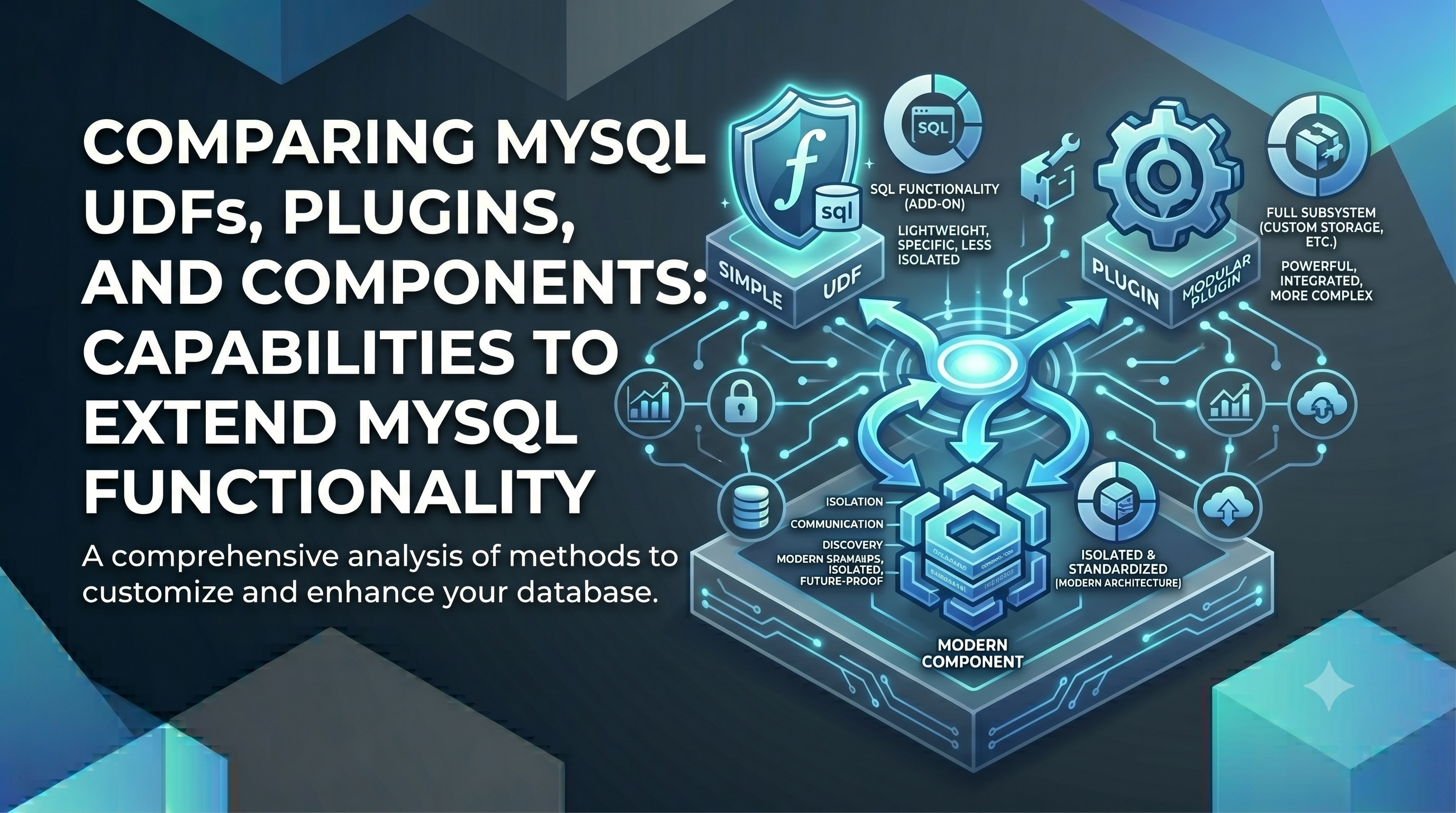
MySQL offers three different approaches to extending the SQL capabilities with the default product you download and install. These are:
- User Defined Function (UDF) MySQL Manual
- MySQL Plugin MySQL Manual
- MySQL Component MySQL Manual
For the purposes of this post I will be using the current LTS version MySQL 8.4 . You can find all code at https://github.com/ronaldbradford/mysql-tutorial/tree/main/uuidv
The UUIDv() Function
Lets say you want to create a UUID function, but support the different versions available, specifically:
| Argument | Result |
|---|---|
1 |
time-based (Gregorian ticks + random node) |
4 |
random |
6 |
reordered time-based (sortable) |
7 |
Unix-ms time-ordered |
You have three options with MySQL, and it’s possible to use all three for comparison.
It’s not possible to use the same function name and run on three concurrently, so for this post I including the type as a suffix. IRL you would choose one type of implementation and the name could just be UUIDv(n).
uuidv_udf()uuidv_plugin()uuidv_component()
Background
Loadable Functions (UDFs) — introduced in the MySQL 4.x era early 2000s, the oldest of the three. You write xxx_init/xxx/xxx_deinit C functions, compile to a shared library, and load with CREATE FUNCTION ... SONAME. Pro: simple, minimal boilerplate, and ubiquitous — works on essentially every MySQL version in existence, so it’s the most portable. Con: a flat C ABI with no access to internal server services, weak type safety, and the API is effectively frozen — Oracle considers it legacy and steers new work elsewhere.
Server Plugin API — introduced in MySQL 5.1 (2008). This is the framework behind storage engines, authentication plugins, audit plugins, full-text parsers, etc., loaded via INSTALL PLUGIN. Pro: gives deep hooks into well-defined server subsystems, which is the only way to implement things like a new auth method or audit log. Con: each plugin type has its own rigid descriptor structure, plugins are tightly coupled to server internals (so they break across versions), and it’s overkill if all you want is a SQL-callable function.
Components — introduced in MySQL 8.0 (2018) as the modern, forward-looking architecture meant to eventually supersede the plugin API. Loaded with INSTALL COMPONENT, they interact through versioned services (like udf_registration, which is how your component_uuidv registers a function without CREATE FUNCTION). Pro: clean service-based design with proper versioning and loose coupling, components can depend on and provide services to each other, and it’s where Oracle is investing. Con: more upfront boilerplate, requires MySQL 8.0+, and the service catalog (while growing) doesn’t yet expose every internal capability the old plugin API reaches.
Code
The actual C code for the real code in the three capabilities is the same. See /uuidv/uuid_gen.h . What changes is the scaffolding and registration, with /uuidv/udf/uuidv_udf.cc , /uuidv/plugin/uuidv_plugin.cc and uuidv/component/component_uuidv.cc . On the surface for a simple functions, it would appear straighforward to migrate from UDF to Plugin or Component.
Another small difference is the declaration of parameters.
is_null and error parameter types: char * vs unsigned char *
When implementing a MySQL loadable function, the type of the is_null and
error output parameters depends on which extension mechanism you use — and
getting it wrong will produce a compiler warning or error.
The difference
| Implementation | Parameter type | Reason |
|---|---|---|
Legacy UDF (CREATE FUNCTION) |
char * |
matches Udf_func_string in mysql/udf_registration_types.h |
| Daemon server plugin (hybrid UDF entry points) | char * |
same legacy UDF contract |
Component (via udf_registration service) |
unsigned char * |
matches the component service’s own function pointer type |
Why they differ
The legacy UDF API and the component service API were designed independently.
mysql/udf_registration_types.h defines Udf_func_string with char *:
typedef char *(*Udf_func_string)(UDF_INIT *, UDF_ARGS *, char *,
                                  unsigned long *, char *, char *);

The component udf_registration service defines its equivalent with
unsigned char *:

typedef char *(*Udf_func_string)(UDF_INIT *, UDF_ARGS *, char *,
                                  unsigned long *, unsigned char *,
                                  unsigned char *);
Each implementation must match its own API’s function pointer signature exactly. A mismatch will produce a type error at the point where the function pointer is passed to the registration call.
Can they be unified?
Not without a cast. Functionally there is no difference — both types are single-byte values used as boolean flags (0 = not null / no error, 1 = null / error). But the compiler enforces the type at the registration call site, so each file must use the type its API expects.
The practical rule: if you copy the body of a UDF function between a legacy UDF and a component implementation, remember to change the is_null and error parameter types accordingly.
User Defined Function (UDF) Example
mysql> CREATE FUNCTION uuidv_udf RETURNS STRING SONAME 'uuidv_udf.so';

mysql> SELECT CAST(uuidv_udf(4) AS CHAR);
+--------------------------------------+
| CAST(uuidv_udf(4) AS CHAR)           |
+--------------------------------------+
| 414215e9-97f4-498a-a023-98addb85567d |
+--------------------------------------+
1 row in set (0.00 sec)

mysql> SELECT CAST(uuidv_udf(7) AS CHAR);
+--------------------------------------+
| CAST(uuidv_udf(7) AS CHAR)           |
+--------------------------------------+
| 019ee11d-5179-7776-a87e-366ab17bba99 |
+--------------------------------------+
1 row in set (0.00 sec)
MySQL Plugin Example
mysql> INSTALL PLUGIN uuidv_plugin SONAME 'uuidv_plugin.so';
Query OK, 0 rows affected (0.00 sec)

mysql> CREATE FUNCTION uuidv_plugin RETURNS STRING SONAME 'uuidv_plugin.so';
Query OK, 0 rows affected (0.00 sec)

mysql> SELECT CAST(uuidv_plugin(4) AS CHAR);
+--------------------------------------+
| CAST(uuidv_plugin(4) AS CHAR)        |
+--------------------------------------+
| 7b117e24-e011-4b21-a97c-b4c709ce4907 |
+--------------------------------------+
1 row in set (0.00 sec)

mysql> SELECT CAST(uuidv_plugin(7) AS CHAR);
+--------------------------------------+
| CAST(uuidv_plugin(7) AS CHAR)        |
+--------------------------------------+
| 019ee11d-e061-72ff-9f15-ffb856c4705c |
+--------------------------------------+
1 row in set (0.00 sec)
MySQL Component Example
Installing a component does not require you to register the function.
mysql> INSTALL COMPONENT 'file://component_uuidv';
Query OK, 0 rows affected (0.00 sec)

mysql> SELECT CAST(uuidv_component(4) AS CHAR);
+--------------------------------------+
| CAST(uuidv_component(4) AS CHAR)     |
+--------------------------------------+
| 05255d2e-4903-454b-9909-64e40cb5c75b |
+--------------------------------------+
1 row in set (0.00 sec)

mysql> SELECT CAST(uuidv_component(7) AS CHAR);
+--------------------------------------+
| CAST(uuidv_component(7) AS CHAR)     |
+--------------------------------------+
| 019ee128-e170-7bb4-a0da-7e05b9261f1a |
+--------------------------------------+
1 row in set (0.00 sec)
Leveraging plugin and component improvements
In my next post I will highlight some of the additional benefits that plugins and components offer including variables, status variables, and tables.


