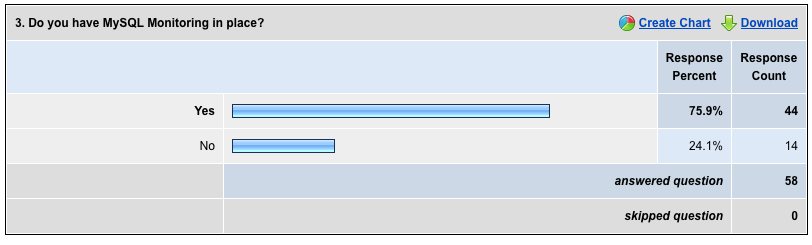
My recent poll What alert monitoring do you use? showed 25% of the 58 respondents to bravely state they had no MySQL monitoring. I see 1 in 3, ~33% in my consulting so this is consistent.
There is no excuse to not have some MySQL Monitoring on your production system. At the worse case, you should be logging important MySQL information for later analysis. I use my own Logging and Analyzing scripts
on every client for an immediate assessment regardless of what’s available. I combine that with my modified statpack
to give me immediate text based analysis, broken down by hour chunks for quick reference. These help me in troubleshooting, but they are not a complete solution.
The most popular options I see and are also reflected in the results are:
- Cacti with MySQL Cacti Templates – Open Source
- Nagios used in conjunction with Cacti for alert monitoring – Open Source
- MONyog – Commercial with Free trial
There is a good list, including some products I did not know. My goal is to get this information included in the Monitoring-MySQL information site.
I have some additional information on Cacti and MONyog, and I’ll be sharing this information in upcoming posts.

